
chromewebstore.google.com/detail/lead-finder/knmikeooibjfemhcbogagaakndllcnkkl · pricing: /pricing/leads · this article: /blog/en-leadfinder-chrome-extension-review
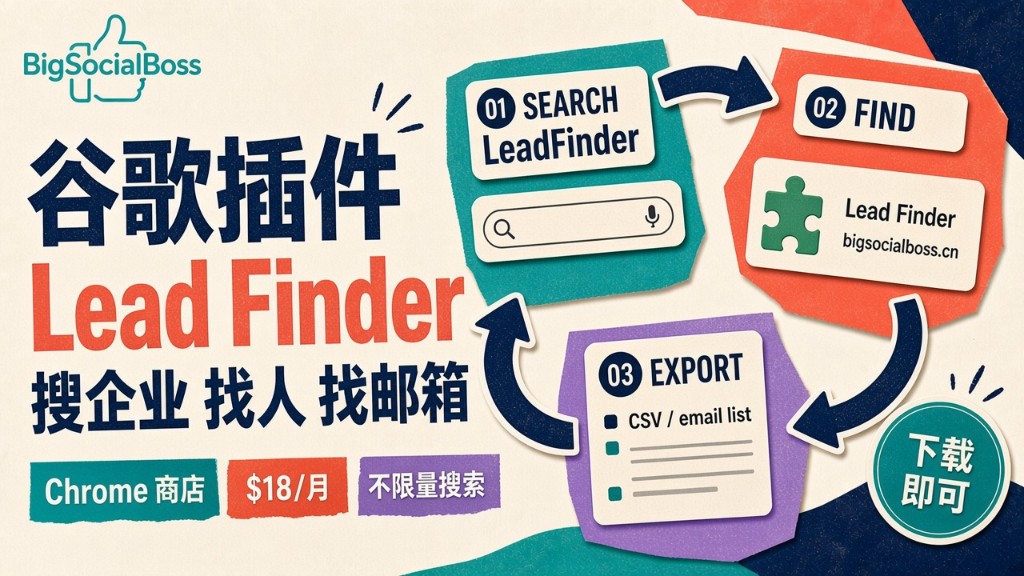
Website in · Executives out · $18/month unlimited Product and pricing:www.bigsocialboss.com/pricing/leadsChrome Web Store:Lead Finder
✈️ Telegram: Kxg245 WeChat: BigSocialBoss123 Ask about Lead Finder → Open Telegram
The afternoon that broke me: three hours behind a single outreach email
If you work in foreign trade or B2B sales, you've probably lived this afternoon:
You find a perfectly matched prospect in an exhibitor list or on Google, open their website, and think: "If I land this one, the quarter is saved." Then you start hunting for a contact email — the About Us page has nothing, the Contact page only shows a generic info@ address, and the Team page doesn't even have photos.
So you turn to LinkedIn. You search the company name, scroll through employee lists one by one. You finally find someone who looks like a decision maker — you click the profile — "LinkedIn Member." Full profile locked. And you've already hit LinkedIn's commercial use limit.
Three hours later, you finish a carefully crafted outreach email. In the "To" field, you type: info@xxx.com.
You hit send. Silence.
This isn't an isolated story — it's the daily reality of sales reps, BD professionals, and recruiters everywhere. We spend more time finding people than writing emails or making calls. The core problem isn't finding the company; it's that once you've found the company, you can't find "the right person" with "the right email."
Last month, I installed LeadFinder, a Chrome extension by BigSocialBoss. The three-hour process above now takes three minutes. This article is an honest account of my first month using it — part review, part playbook.
What is LeadFinder? Its positioning in one sentence
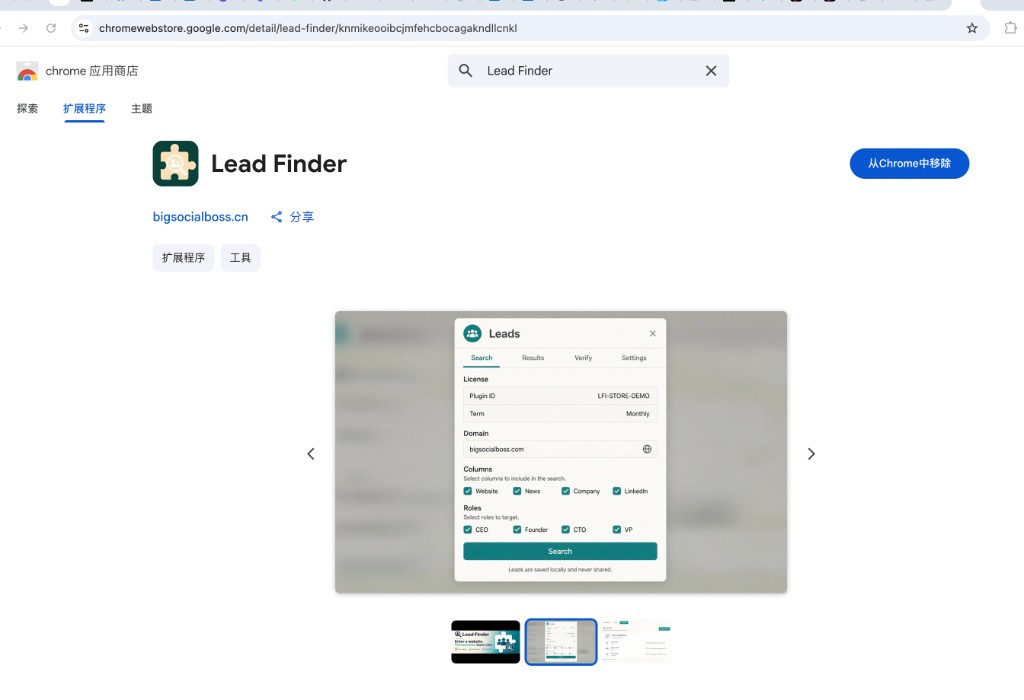
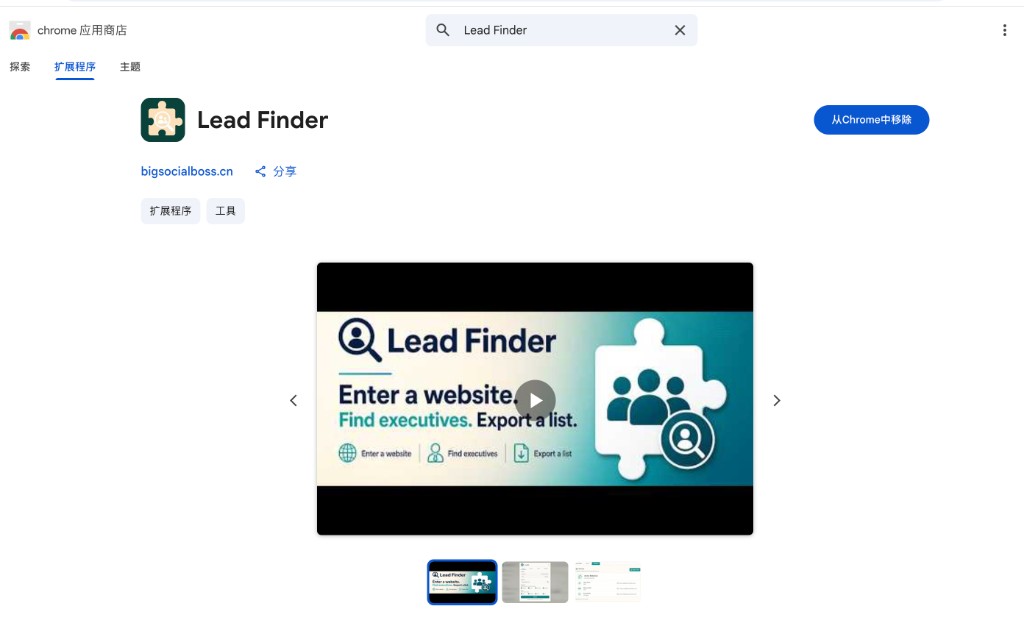
LeadFinder is a Chrome browser extension with a simple core logic: type in a company's website domain (e.g., example.com), and it automatically retrieves the company's executives and decision makers — names, job titles, and verified, working email addresses — with one-click CSV export.
Its positioning is crystal clear: it's not trying to be yet another bloated CRM or a data platform with a learning curve. It's a "find-the-contact" tool embedded directly into your daily workflow. You browse websites and scroll LinkedIn exactly as before — you just gain the ability to pull a contact list anytime, anywhere.
Key facts at a glance:
- Product form: Chrome extension (Chrome Web Store — search "Lead Finder" and look for the one published by bigsocialboss.cn)
- Pricing: $18/month (about ¥129), monthly subscription, unlimited searches — no per-credit billing
- Core capabilities: Enter a website → find executives/decision makers (name + title) → verified working emails → deduplication → export CSV
- Filterable roles: CXO (CEO/CMO/CTO/COO/CIO/CFO…), Founders/Co-Founders, Partners/Managing Partners, Directors / Heads of / VPs
- Company fields: website, industry, company type, size, city/country, year founded, LinkedIn, description, phone, and more
I tried every prospecting tool out there — here's why this one stayed
Over the years, I've tested plenty of email-finding tools and stepped into more than a few traps. This space isn't short on products — what's missing is a product that balances price, quota, and ease of use:
| Tool / Platform | Pricing | Main limitations | Best for |
|---|---|---|---|
| LinkedIn Sales Navigator | From ~$99/mo | Strict search quotas; seeing a person ≠ getting their email | Relationship building with known target companies |
| Hunter.io | Per-credit / tiered | Free tier ~25 searches/month; domain lookup may miss the actual decision maker | Occasional one-off domain lookups |
| Apollo.io | Free + paid | Tiny free credits; noisy database; steep learning curve | Large SDR teams running high-volume outreach |
| Snov.io & similar | Credit-based | Verification often costs extra credits | Teams with procurement budgets |
| LeadFinder | Flat $18/month | Unlimited searches; people discovery and email verification in one | Individual sales, BD, recruiters, small teams |
The differences become obvious on comparison:
Quota anxiety vs. unlimited searching: Hunter, Snov, and similar tools are essentially "per-credit" businesses — you mentally tally the cost with every domain you check. LeadFinder is a flat $18/month with unlimited searches. Checking 10 companies costs exactly the same as checking 1,000.
Guessed emails vs. verified emails: Many tools "find emails" by guessing name patterns (firstname.lastname@xxx.com). Bounce rates are brutal, and your sender domain reputation takes the damage. LeadFinder returns verified, deliverable emails — invalid ones are filtered out.
Standalone platform vs. embedded in your workflow: Apollo is powerful, but it means leaving your daily environment. LeadFinder lives in your browser — you're looking at a prospect's website or scrolling LinkedIn, and with one click you get results, exportable as CSV straight into your CRM or email tool.
My conclusion: if you're an individual or a small team with limited budget but high search volume, LeadFinder currently offers the best value. If you're a large SDR team doing bulk outbound, use it as the everyday complement alongside Apollo.
The most practical play: the LeadFinder + LinkedIn combo
LinkedIn is the world's largest professional network. But everyone knows its two pain points: Sales Navigator is expensive (from $99/month), and even with a subscription, search quotas are strictly enforced. You know the person is on LinkedIn, but you just can't "see enough or get enough."
LeadFinder fills that gap. My daily workflow now looks like this:
- Use LinkedIn to find the target company by name and confirm its website domain;
- Open LeadFinder, paste in the domain, hit Search;
- The extension returns the company's executive list — names, titles, and verified emails, grouped by role;
- Cross-reference titles on LinkedIn, lock onto the 1–2 most relevant decision makers, copy the email or export CSV;
- Write the outreach email.
I only use my LinkedIn quota for "discovering companies and confirming titles" — not for "scrolling lists and scraping emails." Most of the search workload shifts to LeadFinder. It's like using an $18/month tool to expand the capacity of an expensive LinkedIn channel.
Bonus: LeadFinder results include LinkedIn profile fields and title information, which also helps you verify whether the person is still in the role.
After one month: five practical tips
Set your roles before searching. Check the role tiers you need (CXO / Founder / Director) before searching to reduce noise.
Smaller company websites yield higher hit rates. Large corporations have richer but noisier results; small and mid-size companies are often a bullseye.
Build the export habit. Export CSV every time and file by date. Deduplicate and import into your email system at month end.
Don't blast raw. Pair verified emails with domain warm-up and a gradual sending ramp-up. LeadFinder guarantees the email is real; your sending strategy guarantees deliverability.
Use company fields for research. Industry, size, founding year, and description are enough to write a personalized outreach email.
Who is this extension for?
- Foreign trade sales / solo exporters: daily new-client development needs real purchasing decision-maker emails;
- B2B sales / SDRs / BD: list building is a daily KPI; unlimited searches mean unlimited outreach volume;
- Recruiters / headhunters: map a target company's management from its website faster than digging through LinkedIn;
- Founders / marketing leads: when pursuing partnerships or media contacts, quickly find the person who can say yes.
One-line summary: if your work involves any "find the right person" step, it's worth installing.
Final thoughts
Now, when I find a target company, my process is: copy the domain → search in LeadFinder → 30 seconds later, three verified decision-maker emails are on my screen → export → write → send.
Three hours becomes three minutes. What's saved isn't just time — it's the frustration of knowing the customer is right there and being unable to reach them.
$18/month. Unlimited searches. Monthly subscription, cancel anytime. Search "Lead Finder" in the Chrome Web Store, look for the one by bigsocialboss.cn, install it and start using it right away.
FAQ
Where do I download LeadFinder?
Chrome Web Store. Search "Lead Finder" and choose the listing by bigsocialboss.cn: https://chromewebstore.google.com/detail/lead-finder/knmikeooibjfemhcbogagaakndllcnkkl
How much is it, and how many searches do I get?
$18/month (about ¥129). Unlimited searches. No per-credit billing.
Are the emails guessed or verified?
Availability is checked. Valid inboxes are shown; invalid ones are filtered. Export CSV when you're done.
Do I need LinkedIn Sales Navigator first?
No. The working input is a company website or domain. Use LinkedIn to discover companies; use LeadFinder to find people and emails.