
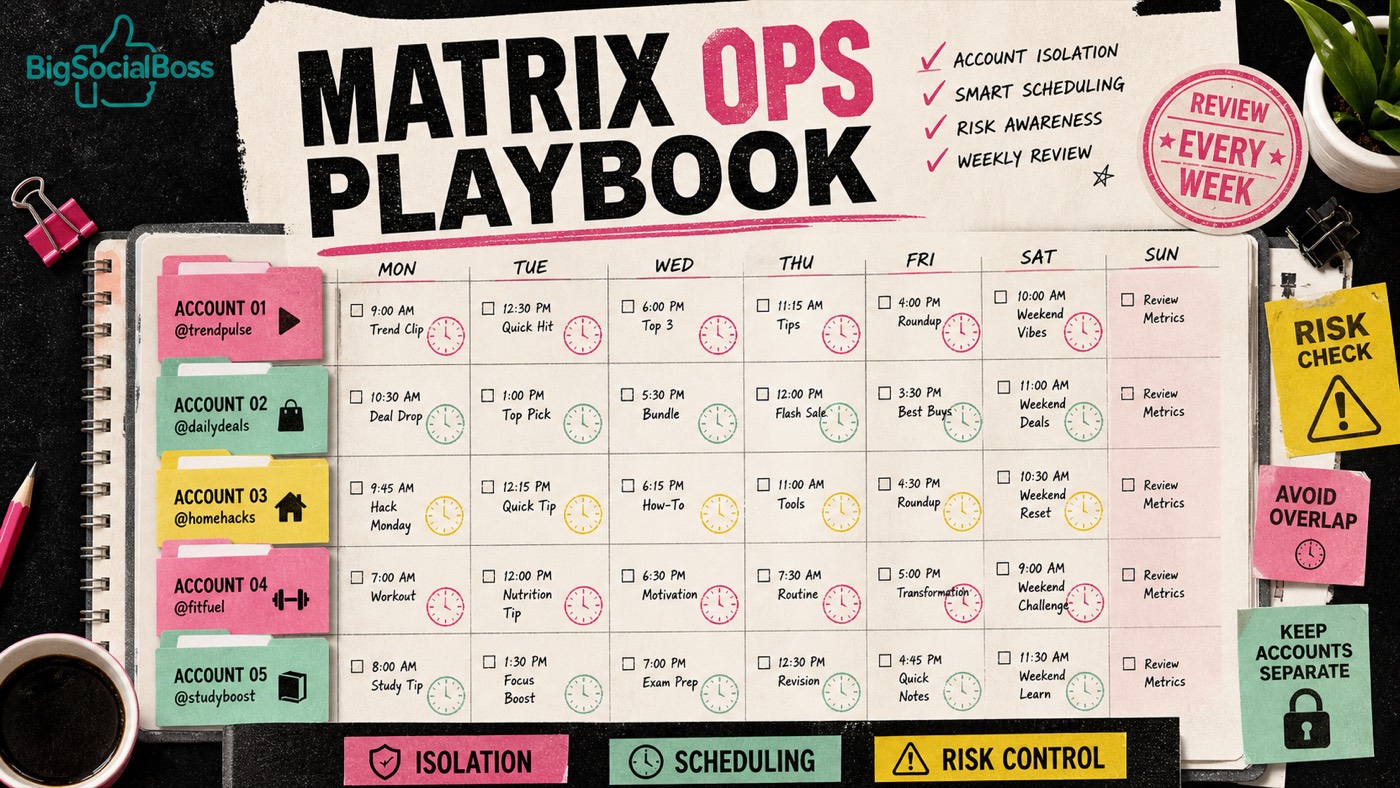
Buying a TikTok multi-account pack is only the start. What separates teams is whether they can run a repeatable operating rhythm. This playbook is designed for self-hosted BigSocialBoss matrix dashboards.
Pricing overview: How to build a TikTok multi-account matrix · Product entry: standalone plans
✈️ Telegram: Kxg245 WeChat: BigSocialBoss123 Claim a free trial of the TK viral video extension → Open Telegram
1. Account roles before content ideas
Give every account one primary role:
| Role type | Example | Content boundary | |---|---|---| | Market account | US / SEA | Language, holidays, logistics promises stay consistent | | Category account | Beauty / gadgets / home | Do not force unrelated SKUs into the feed | | Audience account | Students / SMB sellers | Keep pain points and tone stable | | Brand authority | Official brand | Fewer trend chases; more proof and case posts |
Role confusion is the most common matrix failure: viewers cannot tell who the account is, and distribution becomes unstable.
2. Shared media library without shared chaos
Use one media library, but label every asset:
- Eligible accounts — which profiles may publish it;
- Language / market — prevent wrong subtitles or landing pages;
- Content type — hook test, demo, social proof, promo countdown;
- Compliance notes — pricing claims, efficacy language, competitor comparisons.
Principle: assets can be reused; publish history must be auditable—who posted, when, and with what result.
3. Scheduling: stagger instead of blasting
Publishing every account in the same minute creates an unnatural pattern. Prefer:
- Schedule to each market’s peak hours;
- Stagger similar creatives by 30–120 minutes across accounts;
- Validate structure on newer accounts before raising frequency;
- Cap retries so failed jobs do not loop forever.
The dashboard’s job is to make “did it send on time?” observable—not to depend on a personal calendar.
✈️ Telegram: Kxg245 WeChat: BigSocialBoss123 Claim a free trial of the TK viral video extension → Open Telegram
4. Weekly risk checklist
- Are login/publish failures clustered on the same set of accounts?
- Are many accounts reusing the same hook or intro frame?
- Do bio links and comment CTAs match each account’s role?
- Are low-engagement accounts still publishing at high frequency?
- Are permissions minimized (publish vs media-only access)?
Risk control is not “do less.” It is preventing one bad pattern from taking down the whole matrix.
5. A 30-minute weekly review
Fill four columns per account:
| Metric | What to watch | Action | |---|---|---| | Views | Healthy distribution? | Stop weak script structures | | Engagement | Comments/shares quality | Rewrite the first three seconds | | Leads | Profile taps, DMs, site visits | Improve CTA and landing page | | Conversion | Inquiries, follows, orders | Keep winning combos; cut dead directions |
If an account underperforms for two weeks with no test hypothesis, lower frequency or redefine the role.
6. Pair with research tooling
The matrix runs account operations; the TikTok viral video tool scores videos and breaks down structure. Recommended loop:
- Find high-scoring structures with the extension;
- Localize scripts to each account role;
- Schedule in the matrix dashboard;
- Use the weekly review to choose next week’s tests.
Bottom line: software answers “can we control the matrix?” The playbook answers “should we add more accounts?” You need both for 3–50 account tiers to pay off.
✈️ Telegram: Kxg245 WeChat: BigSocialBoss123 Claim a free trial of the TK viral video extension → Open Telegram