
/blog/en-video-to-script-chrome-plugin · Chinese: https://www.bigsocialboss.cn/blog/zh-video-to-script-chrome-plugin
Upload a video · Export the script · Lifetime $9.9 Get it: Telegram Kxg245
✈️ Telegram: Kxg245 WeChat: BigSocialBoss123 Ask about Video to Script → Open Telegram
If you make short videos, talking-head clips, or product explainers, you already know this moment. The shoot is fast. The edit is fine. Then someone says, “turn what was said in the video into a script,” and the afternoon disappears. Replay, pause, type, check. A three-minute video can cost half an hour of transcription.
BigSocialBoss Video to Script is a small Chrome plugin built for that job: upload the video, convert it to a script, and export it in one click. The whole pass takes under a minute. The price is a one-time $9.9. You keep it for life.
What it is
Video to Script by BigSocialBoss runs inside Chrome. There is no desktop app to install, no account to register, and no membership to keep alive. Open the browser and use it.
The job is narrow on purpose. It takes the spoken words in a video and turns them into text you can copy and export. Use that text as a voiceover draft, a caption draft, or the starting script for the next cut. It is for creators and operators who need the words, not another editing suite.
Three steps, and nothing to learn
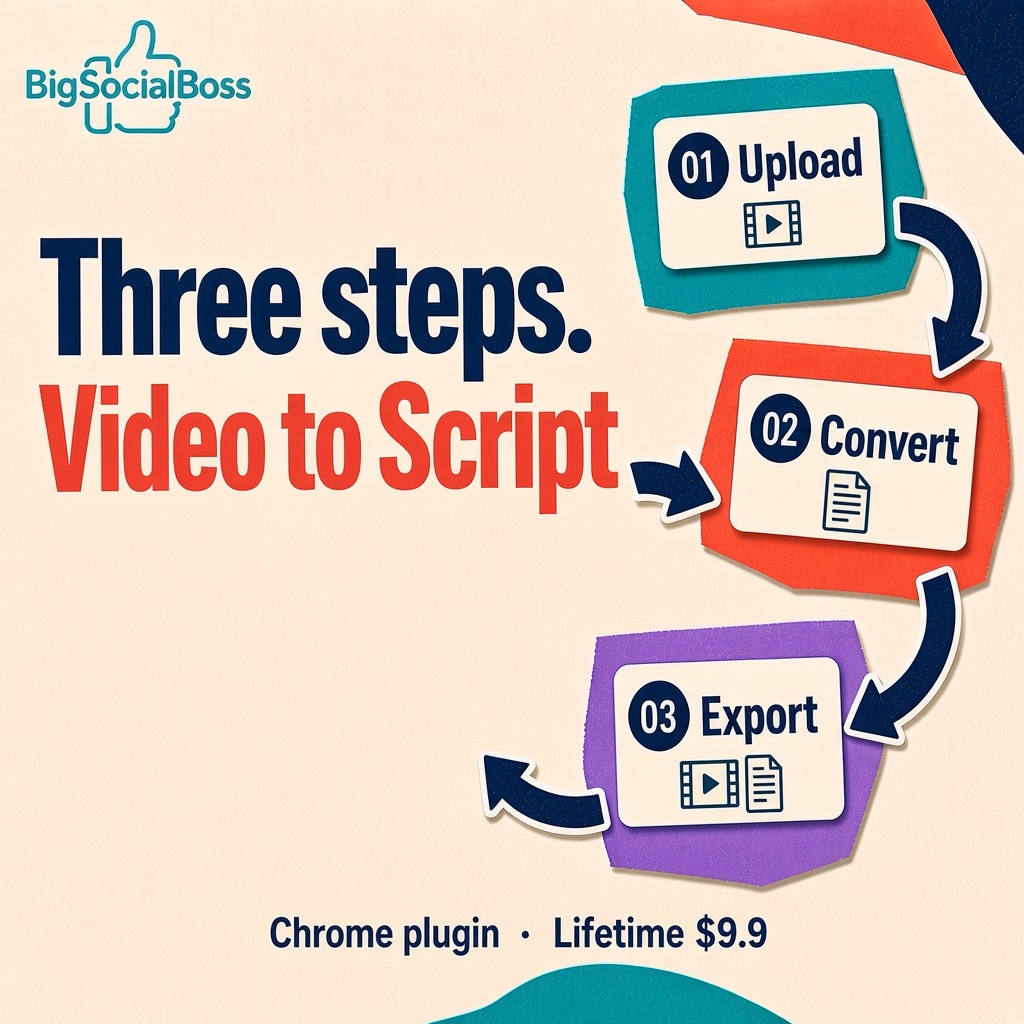
The plugin stays out of the way. The whole flow is three steps:
- Upload the video. Drop the file you want transcribed into the plugin window.
- Convert it. Click convert. After a short wait, what was said becomes clean text.
- Export in one click. Copy the script, or export and save it, then edit it however you like.
There is no settings maze and no menu full of features you will never touch. If your team cares about speed, that zero-setup feel is the valuable part.
What you get
- A Chrome plugin you use in the browser, with no extra software to install
- Upload a video and convert it into a script
- One-click export, ready to copy, file, and edit again
- English transcription
- Lifetime access: pay $9.9 once, use it for good
- No subscription, no hidden fees, no expiry date
Who it is for
- Short-form creators who publish every day and need a talking-head video turned into a script they can post.
- Talking-head and product hosts who cut live clips and explainers, then rewrite the transcript into a distribution script.
- Operators and editors who get a video with the note “pull out the important lines,” and would rather not transcribe it by hand.
- Anyone doing a second cut who wants a full draft first, then rewrites it in their own voice. The rewrite goes twice as fast when the words are already on the page.
Why a $9.9 lifetime deal is the point

Most transcription tools bill by the month. Over a year that is tens of dollars, sometimes more than a hundred. For a solo creator or a small team, that subscription rarely pays for itself.
Video to Script is a buyout. Pay $9.9 once and keep it. There is no renewal and no plan that expires. One use covers the price. Ten uses make it obvious. If video and words are part of the work every day, it is one of the more sensible tools you will buy this year.
A last note
Time in content work belongs to the idea and the delivery, not to replaying the same sentence until the typing catches up. BigSocialBoss Video to Script does not try to be a full production suite. It does one thing: turn the sound in a video into text you can use immediately.
If you want out of the replay–pause–type loop, try it. Three steps. A draft in about a minute. $9.9, and it is yours.
How to get it
- Price: lifetime $9.9
- Contact: Telegram — Kxg245
Chinese version: 视频转文案,只要三步